Chrome extensions / Fast Chrome Screen Capture

Fast Chrome Screen Capture

Screenshot any area straight to your clipboard. Translate text in images, hide emails and API keys, copy text out of a capture — fast and local, nothing uploaded.

FreeOptional ProRuns locallyNo files on your drive52 languages
Fast Chrome Screen Capture screenshot
About

A screenshot tool that gets out of your way

Tired of complicated tools and extra clicks when you just need a quick screen shot in your browser? Introducing Fast Chrome Screen Capture – your new favorite extension for lightning-fast screen grabs! 🚀

Our extension is designed with one simple goal: to make the chrome screen capture process as fast and convenient as possible. Forget about saving temporary files to your desktop that you later have to delete. With our snip tool, everything is copied directly to your clipboard.

Features

What it does

Instant Copy

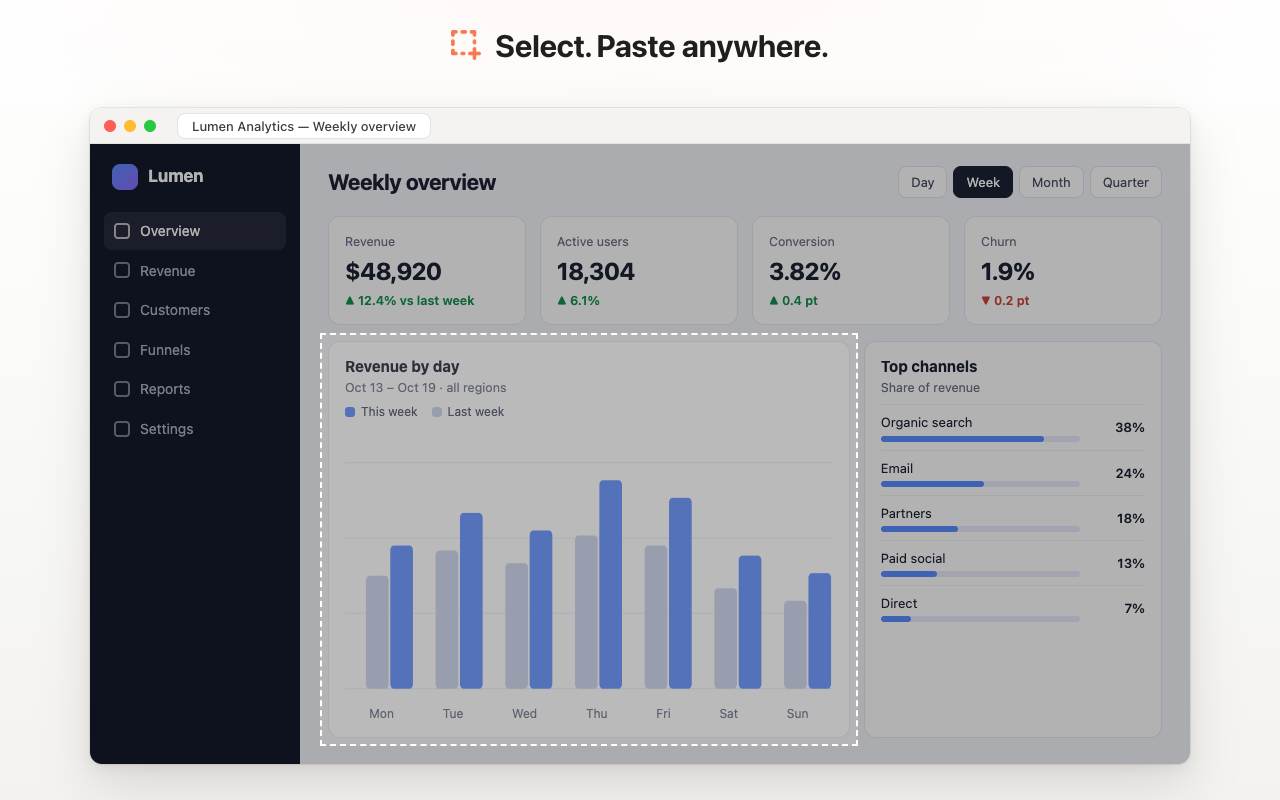
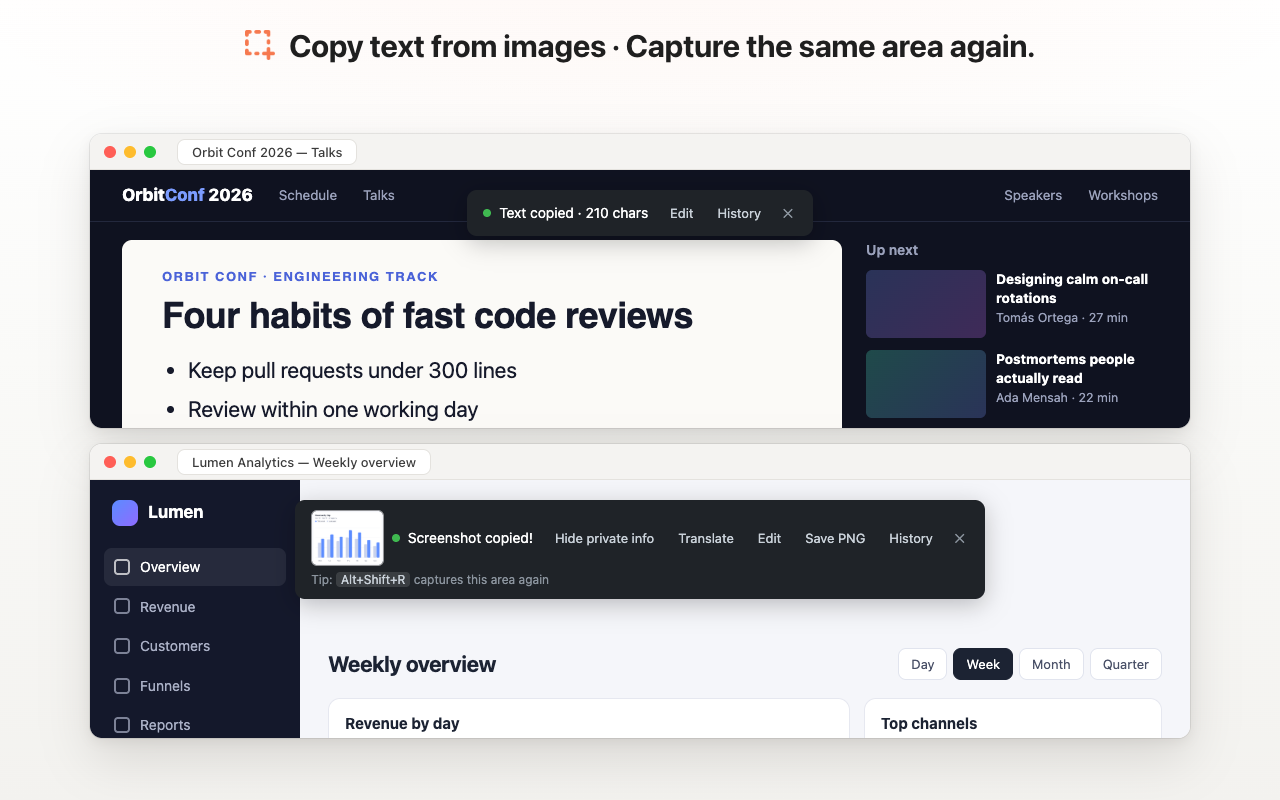
Select an area, and it's immediately on your clipboard.

Page URL on request

Turn on "Also copy page URL" in Settings to copy the page link along with the screenshot — handy for notes, documentation, and bug reports.

Translate an areaNew

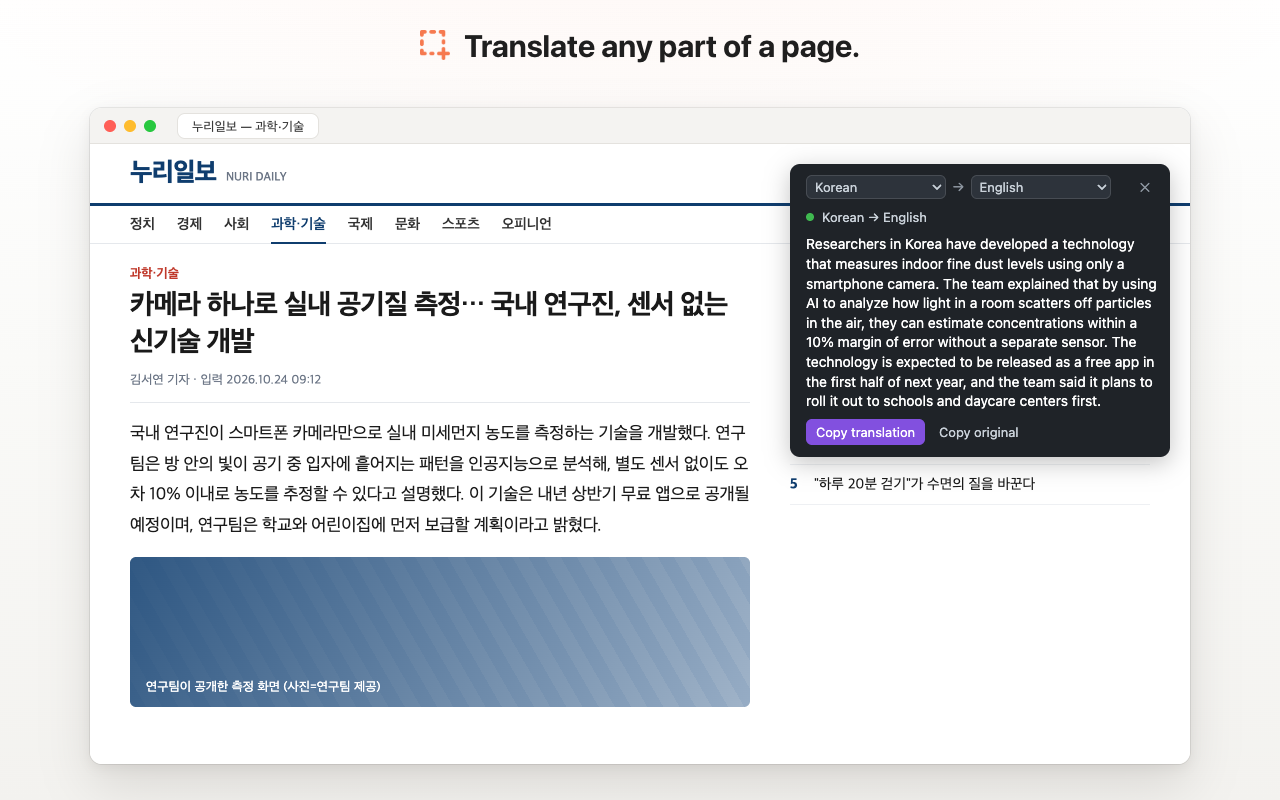
Select text in any language — even inside images, charts and video frames — and read it in your language. Free and unlimited, runs on your computer with Chrome's built-in translator (Chrome 138+ on a computer).

Hide private infoNew

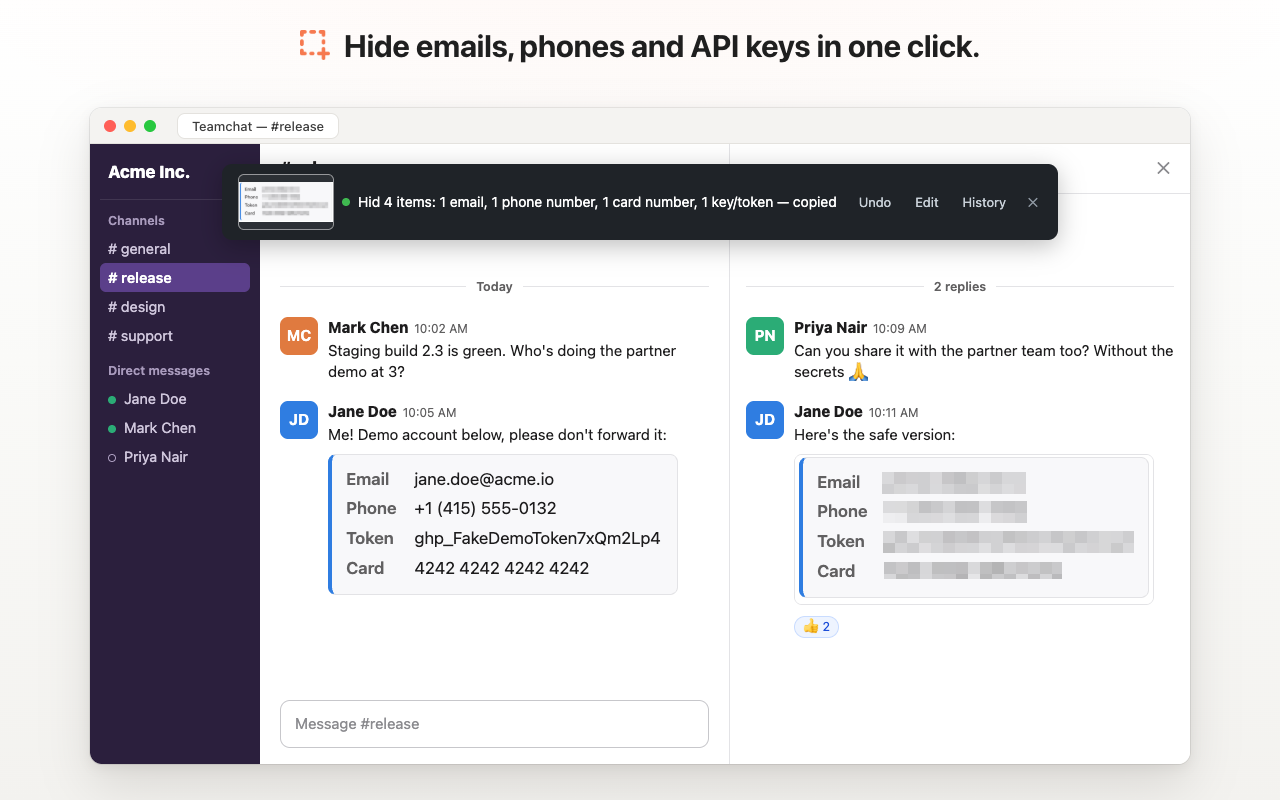
One click finds emails, phone numbers, card numbers, IBANs and API keys or tokens and pixelates them before you share. Undo or adjust the hidden areas in the editor. Pro users can turn on "Always hide private info".

Same area againNew

Press Alt+Shift+R or use the icon's right-click menu to capture exactly the same area again — no new selection needed.

No Files

No more clutter on your drive! Nothing goes to your Downloads folder unless you click Save; recent captures stay in a local history you can clear any time.

Ease of Use

One click to activate, intuitive selection. It's the simplest way to perform screen capture.

Lightweight

The extension won't slow down your browser or overwhelm you with unnecessary features.

Screenshots

See it in action

Translate any part of a page.
Hide emails, phones and API keys in one click.
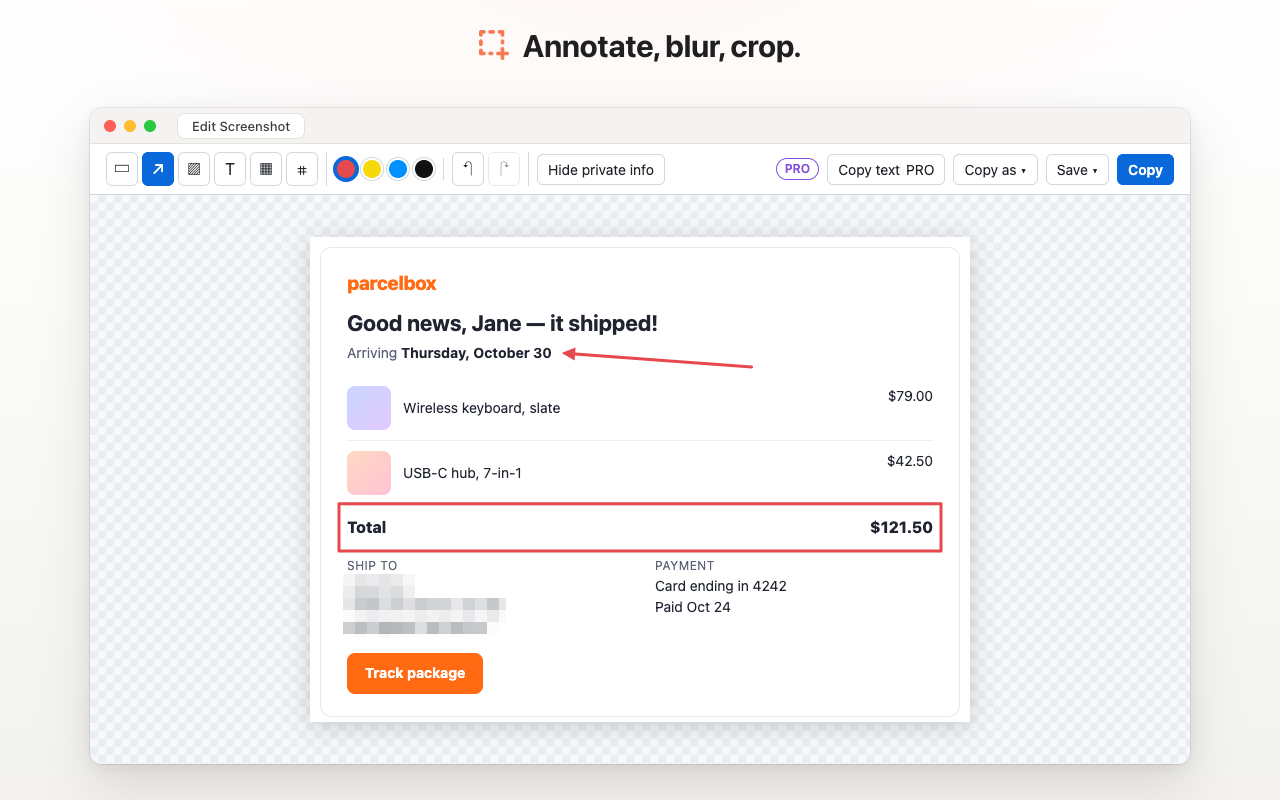
Annotate, blur, crop.
Copy text from images · Capture the same area again.
Who it’s for

Made for people who work in the browser

For designers who need to quickly capture web page elements.For developers documenting interfaces or bugs.For students gathering materials for their studies.For content managers and marketers creating visual assets.For anyone who values their time and prefers a simple screen capture without the frills.
How it works

Three steps

  1. Click the extension icon on your Chrome toolbar.
  2. Select the area you need on the web page.
  3. Paste! Your screen capture is already on your clipboard.
FAQ

Frequently asked questions

Does the extension save screenshots to disk?

No files are saved to your Downloads folder unless you click Save. Screenshots are copied to the clipboard, and your recent captures are kept in the extension's local history, which you can clear at any time.

Is the page URL copied?

Only if you want it. By default just the image is copied, so it pastes everywhere — chats, docs, and even terminals. Turn on "Also copy page URL" in Settings to add the page link as text; apps then decide what to paste: the image or the URL.

Is translation free?

Yes. It runs on your computer with Chrome's built-in translator, with no limits. Nothing is uploaded. It needs Chrome 138 or newer on a computer.

Does "Hide private info" find everything?

It finds emails, phone numbers, card numbers, IBANs and common API key and token formats. Text that is hard to read or doesn't match these patterns can be missed, so check the result and adjust it in the editor if needed.

Why does my pasted image look bigger than what I selected?

On Retina and high-DPI screens, a capture contains extra pixels, so some apps show it larger than it looked on screen. In Settings → Copy size, choose "Same as on screen" (the default for new installs) to paste at the size you selected, or "Full resolution" for the sharpest image. Saved files and history always keep full resolution.

Why did the menu disappear?

Use the hotkey: a toolbar click closes page menus before the capture starts.

Shortcuts on a non-English keyboard layout?

Chrome may ignore them until you've captured once in that tab; after that they usually work on any layout (not inside embedded editors like Google Docs).

Is this snip tool hard to use?

Absolutely not! We aimed to create the simplest and most intuitive chrome snapshot tool. One click, and you're ready to capture.

Will the extension work in incognito mode?

Yes, if you allow it in Chrome's extension settings.

Is this a free sniping tool?

Yes. Capturing screenshots to the clipboard, translation and "Same area again" are free. Optional Pro features (editor export, hide private info, copy text from images, full-page capture, copy formats) can be tried for free 3 times a day.

Why this extension

Why people choose it

Speed

From idea to screenshot in the buffer – mere seconds.

Convenience

No complex menus or settings for a basic action.

Cleanliness

Your desktop will remain tidy, without extra files from a screen shot.

Focus

We do one thing – screen capture to the buffer – but we do it excellently.

Try our snipping tool today and feel the difference! We're confident it will become your indispensable assistant for daily screen capture tasks in Google Chrome. Forget old methods; a new level of chrome screenshot is here.

Changelog

What’s new

Version 2.3.6 October 31, 2026

fix Chromebook: the capture shortcut is now Alt+Shift+C, because ChromeOS uses Alt+Shift+S itself. If yours is still Alt+Shift+S, Settings shows it crossed out and explains how to change it.

Version 2.3.5 October 31, 2026

feat Short tips after a capture: keyboard shortcuts, Translate, Hide private info and History. They can be turned off in Settings.
feat Settings opens after install, with your shortcuts at the top.
fix Translation between two non-English languages (for example Arabic → Chinese) now works through English. If Chrome can't translate a pair at all, you get the recognized text to copy.
fix When the clipboard is busy, the button now says Retry. On pages without HTTPS it says Copy in editor.
fix Local files: if Chrome blocks file access, the popup explains how to allow it.

Version 2.3.4 October 28, 2026

fix Editor: a crop can now be removed (✕ Remove crop, or Esc with the Crop tool) without undoing your drawings, resized with handles and moved; the box shows its size.
fix Copy as: "PNG + page link" always adds the page address; plain "PNG" copies only the image. Menu items line up on the left.
fix The Free / PRO badge moved next to "Screenshot copied!" so it's easier to see.
Earlier versions

Version 2.3.3 October 27, 2026

feat The page freezes while you select, so open menus, tooltips and video frames stay in the shot (Settings → Freeze the page while selecting).
feat Translation keeps one line per row for inboxes, menus and tables; wrapped sentences still translate whole.
fix Copied and translated text is cleaner: stray symbols from icons are dropped.
fix Copy original in the translate panel now uses a Pro action, like copying text.
feat A PRO / Free badge on the capture toast shows your plan.
fix Messages like "Selection cancelled." match the new dark style.
feat Shortcuts usually work on non-English keyboard layouts once you've captured in the tab (not inside embedded editors like Google Docs).

Version 2.3.1 October 25, 2026

feat Pasted captures now match the size you saw on screen on Retina and high-DPI displays — change it in Settings → Copy size (existing users keep full resolution)
feat Copy the visible area in one click: press Alt+Shift+V, use the icon's right-click menu, or set the toolbar icon to do it
fix The confirmation toast is wider, so buttons and text no longer get cramped
fix "Hide private info" covers sensitive text more accurately

Version 2.3.0 October 25, 2026

feat Translate an area: select text on a page or in an image and translate it with Chrome's built-in translator — free, unlimited, nothing uploaded (Chrome 138+ on a computer)
feat Hide private info: one click finds and pixelates emails, phone numbers, card numbers, IBANs and API keys — from the capture panel or the editor
feat "Always hide private info" setting for Pro: every area you capture is checked before it's copied
feat Capture the same area again with Alt+Shift+R or from the icon's right-click menu
feat Translation recognizes text using the page's language, so text on foreign-language pages is recognized on the first try
feat See what you copied: the confirmation shows a small preview of the screenshot (click it to edit) and, for your first captures, how to paste it

Version 2.2.1 October 24, 2026

fix Screenshots now paste as images everywhere, including terminals and plain-text fields — only the image is copied by default
feat New "Also copy page URL" setting to copy the page link along with the screenshot
fix Pages Chrome doesn't allow capturing (Web Store, chrome://) now explain why instead of silently doing nothing
fix If copying to the clipboard fails, one click on "Copy" finishes it — no need to take the screenshot again

Version 2.2.0 October 20, 2026

feat Pro options now open right inside the editor instead of a new tab
feat "Copy link" button in the capture panel — vote for shareable links
fix The rating question no longer disappears before you can answer

Version 2.1.0 October 6, 2026

feat Quick rating right in the capture panel — tell us how we're doing in one click
fix "Save PNG" from the capture panel now uses your local time in the file name

Version 2.0.0 October 6, 2026

feat Keyboard shortcut Alt+Shift+S to start a capture (customizable in Chrome)
feat Quick actions after every capture: Edit, Save PNG, History
feat Screenshot history: your recent captures are kept locally, nothing is uploaded
feat Editor: arrows, boxes, highlights, text, crop, undo/redo — hold Shift while selecting to open it
feat Blur sensitive data (emails, tokens, faces) before sharing
feat Copy text from screenshots (OCR) — hold Alt while selecting; runs locally, 27 languages, follows your preferred Chrome languages
feat Full-page capture with automatic scrolling, without repeated sticky headers
feat Copy formats: Markdown link, HTML for Gmail/Docs/Notion, 1x, beautified, JPEG
feat Optional Pro plan — try every Pro feature free 3 times a day; basic capture stays free
fix Clear message and Save PNG fallback on non-HTTPS pages that block the clipboard
fix "!" badge on pages where Chrome doesn't allow capturing (browser pages, Web Store, PDF)

Version 1.0.0 May 18, 2025

feat Initial release with core screenshot functionality
feat Area selection for precise screenshots
feat Automatic URL copying with screenshots
feat Direct clipboard copying without saving files
Get started

Try Fast Chrome Screen Capture